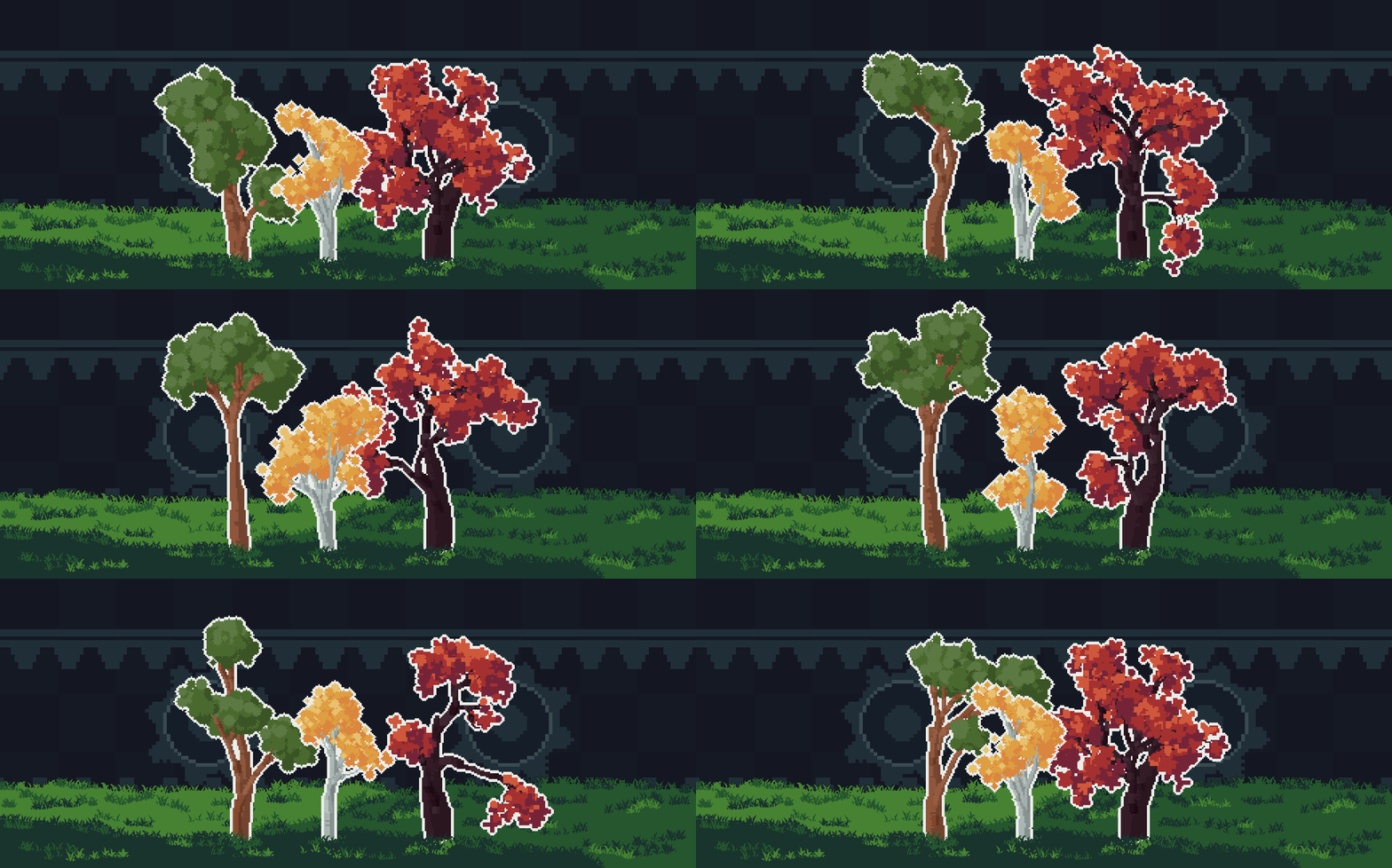
Gentree for aseprite
Gentree - Procedurally generates trees and foliage in Aseprite.
Gentree is an Aseprite extension that procedurally generates pixel art trees and foliage using customizable parameters and presets.
It’s designed to help you quickly create natural‑looking trees, forests, and vegetation for pixel‑art environments, tilesets, and game assets, while still keeping the process artist‑driven and editable.
Includes ready‑to‑use presets for fast iteration, plus a Forest Mode for generating multiple trees at once.
Quick Start
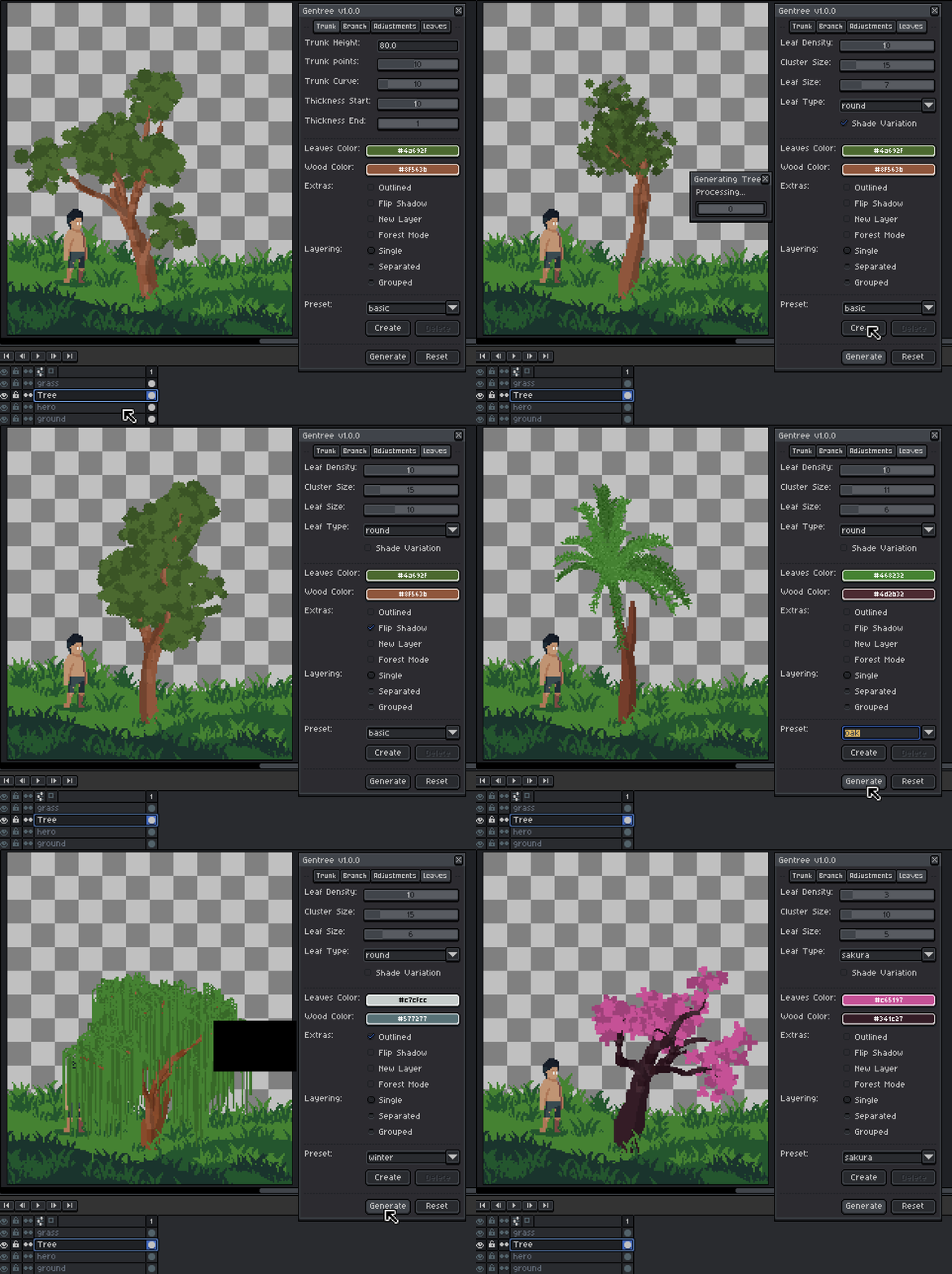
- Open Gentree: Go to View> Gentree in aseprite's top menu.
- Select a layer (important for Single Layer mode)
- Select any tree from the preset.
- Click Generate
- Tweak values and regenerate until satisfied
You can also make a small selection to control where the tree is generated.
New in Version 1.3.0
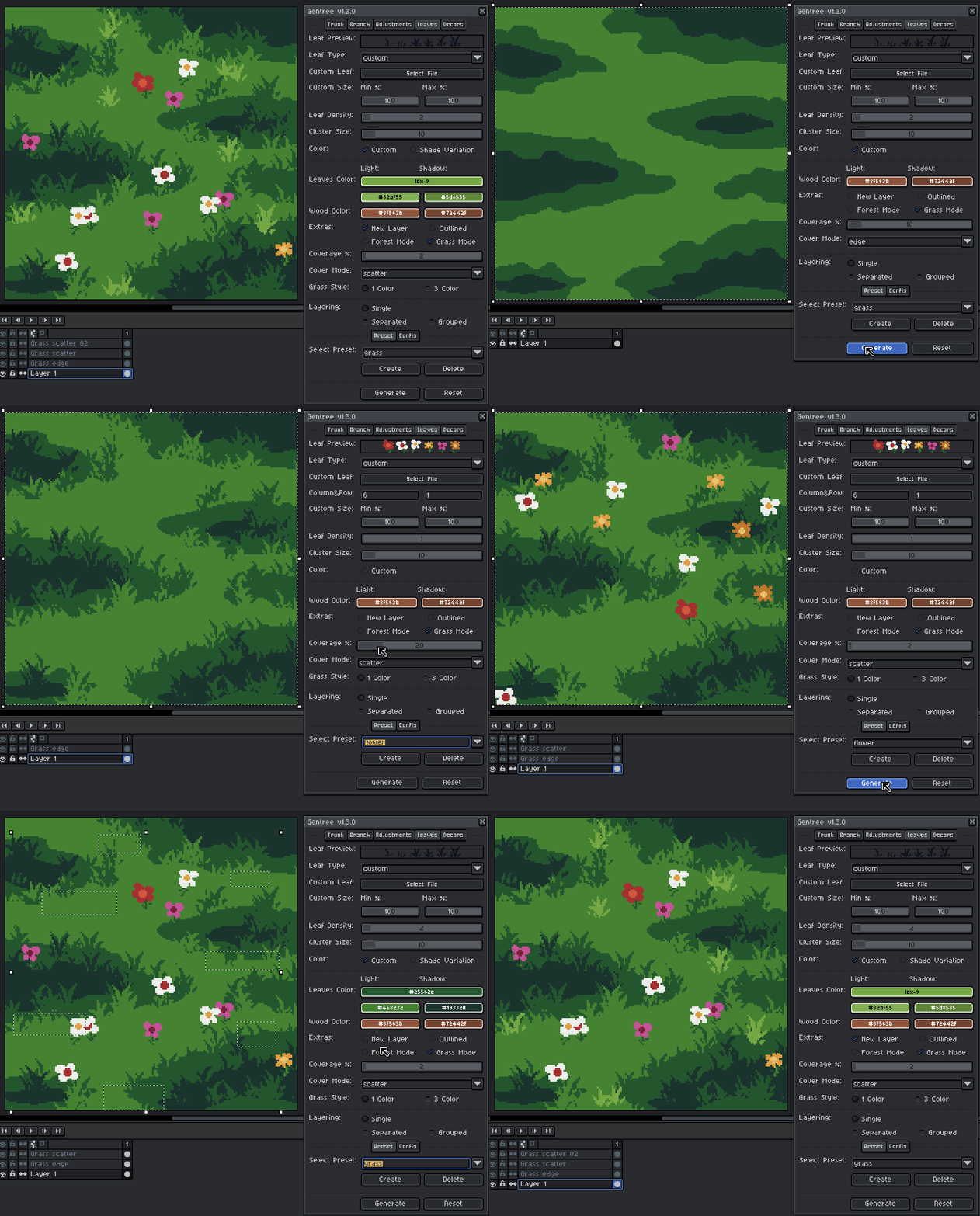
- Added a Grass Mode
⚠ Note: If you have existing presets, make sure to export them before updating to avoid losing them. You can import them again after installing the new version.
Trunk and Branch Tab
Controls the overallshape, thickness, and curvature of the trunk and branches.
- Trunk Height - Overall height of the main trunk.
- Branch Length – Average length of each branch.
- Trunk/Branch Points - Number of points used to form each path.
- Higher values produce smoother, more natural curves.
- Trunk/Branch Curve - Controls how much the trunk or branch bends.
- Thickness Start / End - Controls tapering from base to top.
- Flip Shadow - Flips the light/shadow direction.
- Trunk Textured - Adds bark-like lines to the trunk.
Structure & Complexity
Controls how dense and complex the tree becomes.
- Branch Amount -Number of branches on the trunk.
- Branch Fork -How often branches split.
- Branch Levels -Maximum recursion depth (tree complexity).
- Combine Trunk & Branch -Merges branch and trunk into the same layer.
- Offset & Direction - Controls the offset & direction of leaf highlights and shadow
High depth + high branch amount can get dense fast.
Leaves Tab
Controls leaf placement and style.
- Leaf Density - Number of leaf clumps.
- Cluster Size - Radius of each leaf cluster.
- Leaf Size - Size of individual leaves.
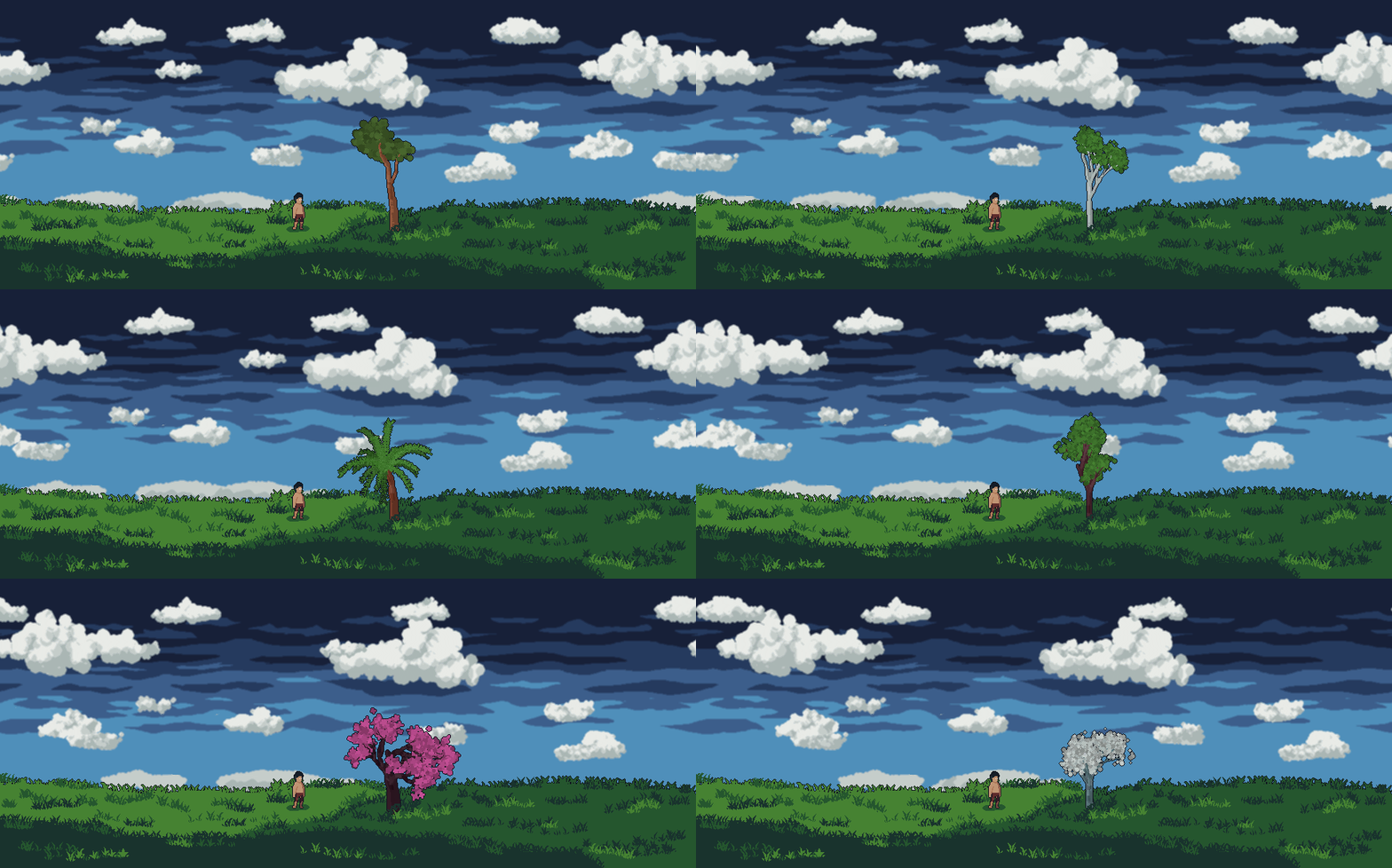
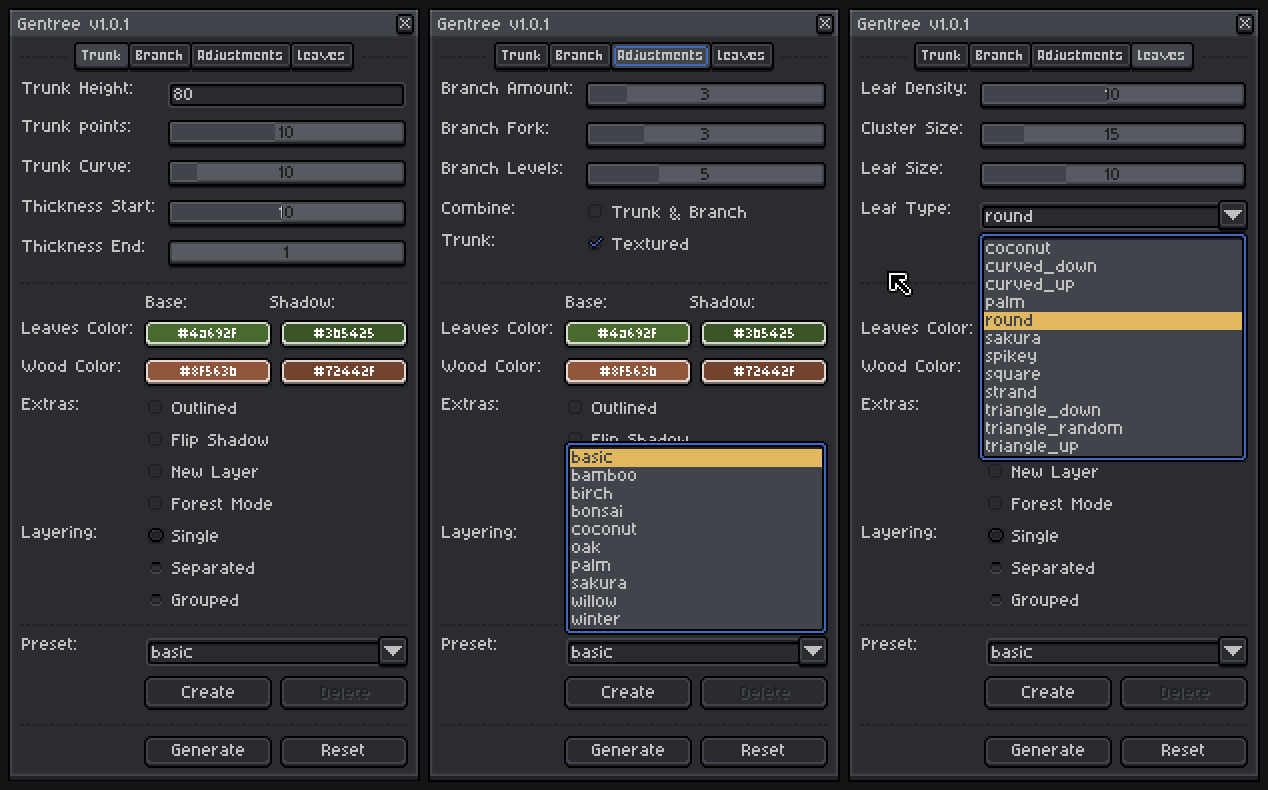
- Leaf Type - Shape used for leaves (round, triangle, etc.).
- Shade Variation - Adds subtle color variation for depth.
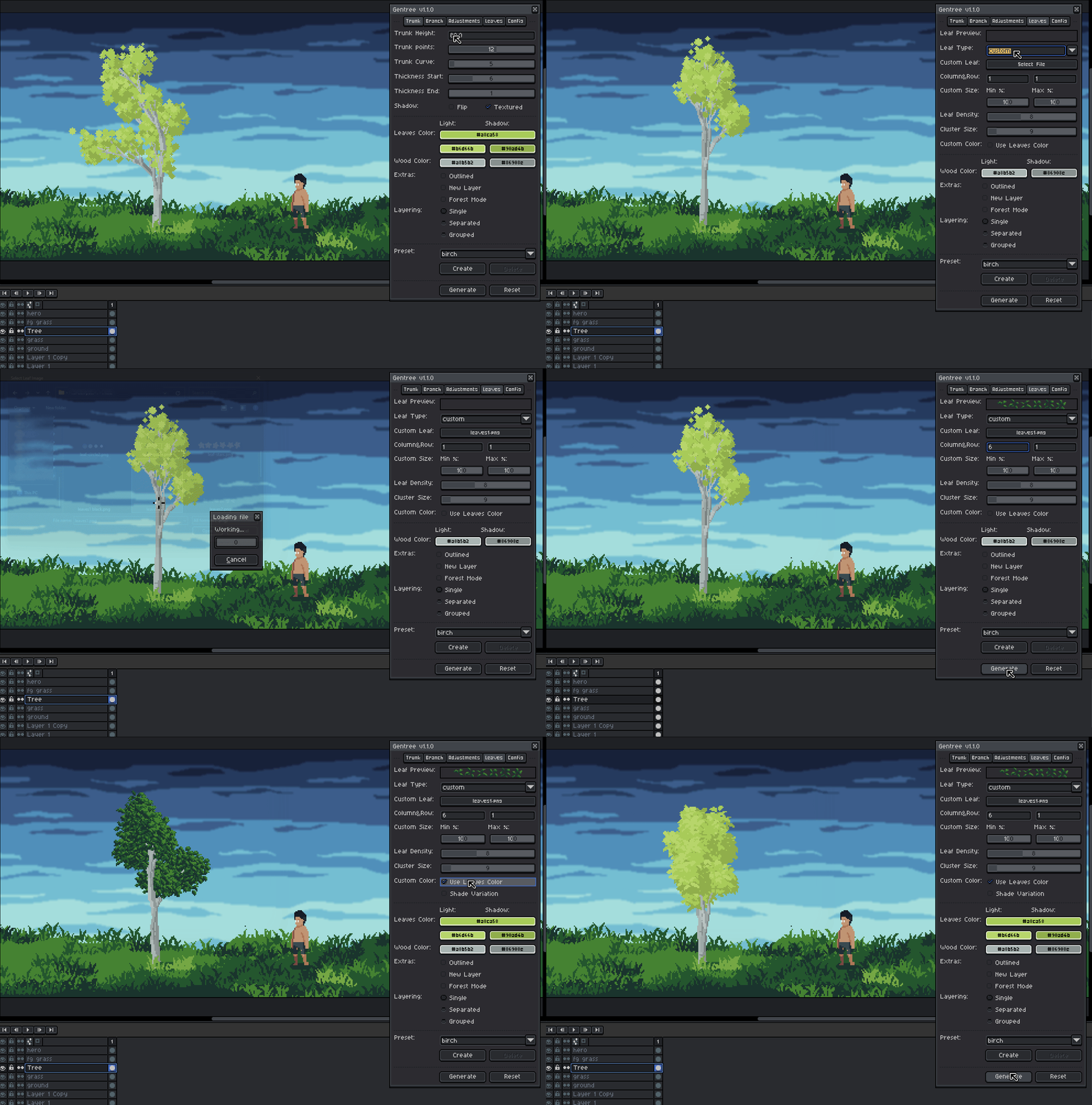
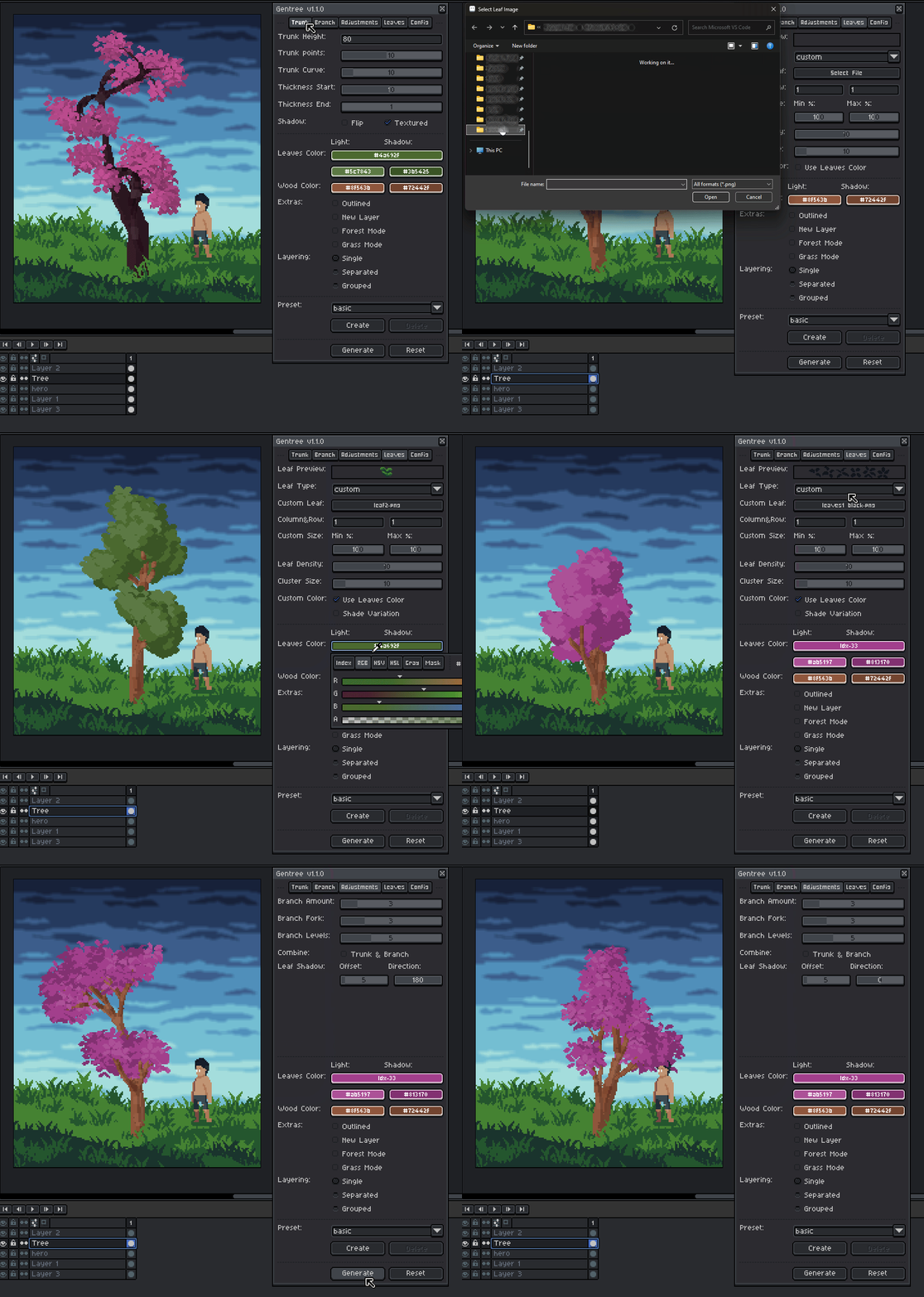
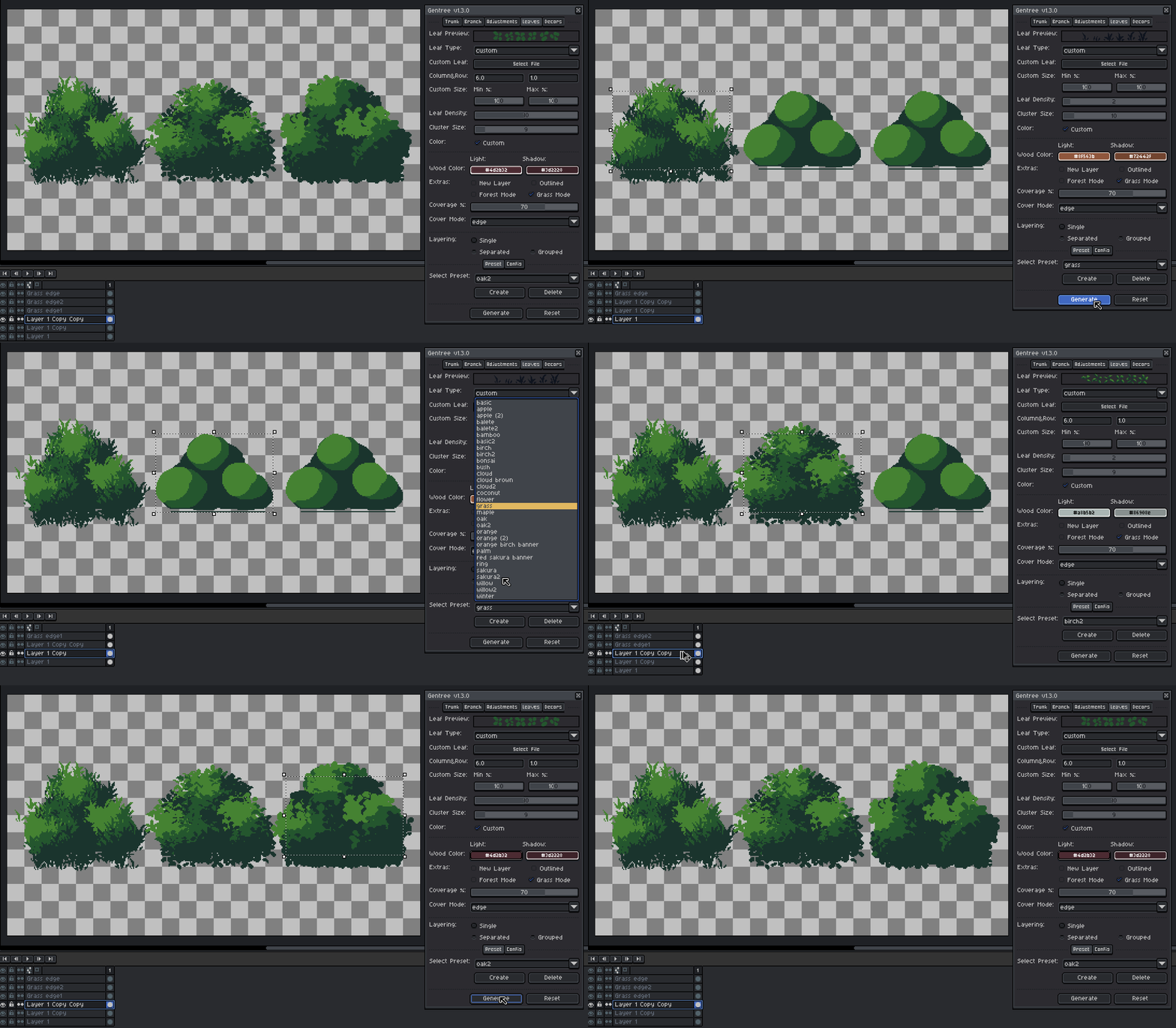
- Custom Leaf Type Mode:
- Column&Row - Splits the sheet into frames.
- Custom Size Min/Max - randomly scales each leaf.
- Custom Color - recolors the sprite using the selected leaf color.
Use custom leaf image:
Decor and Root Tab
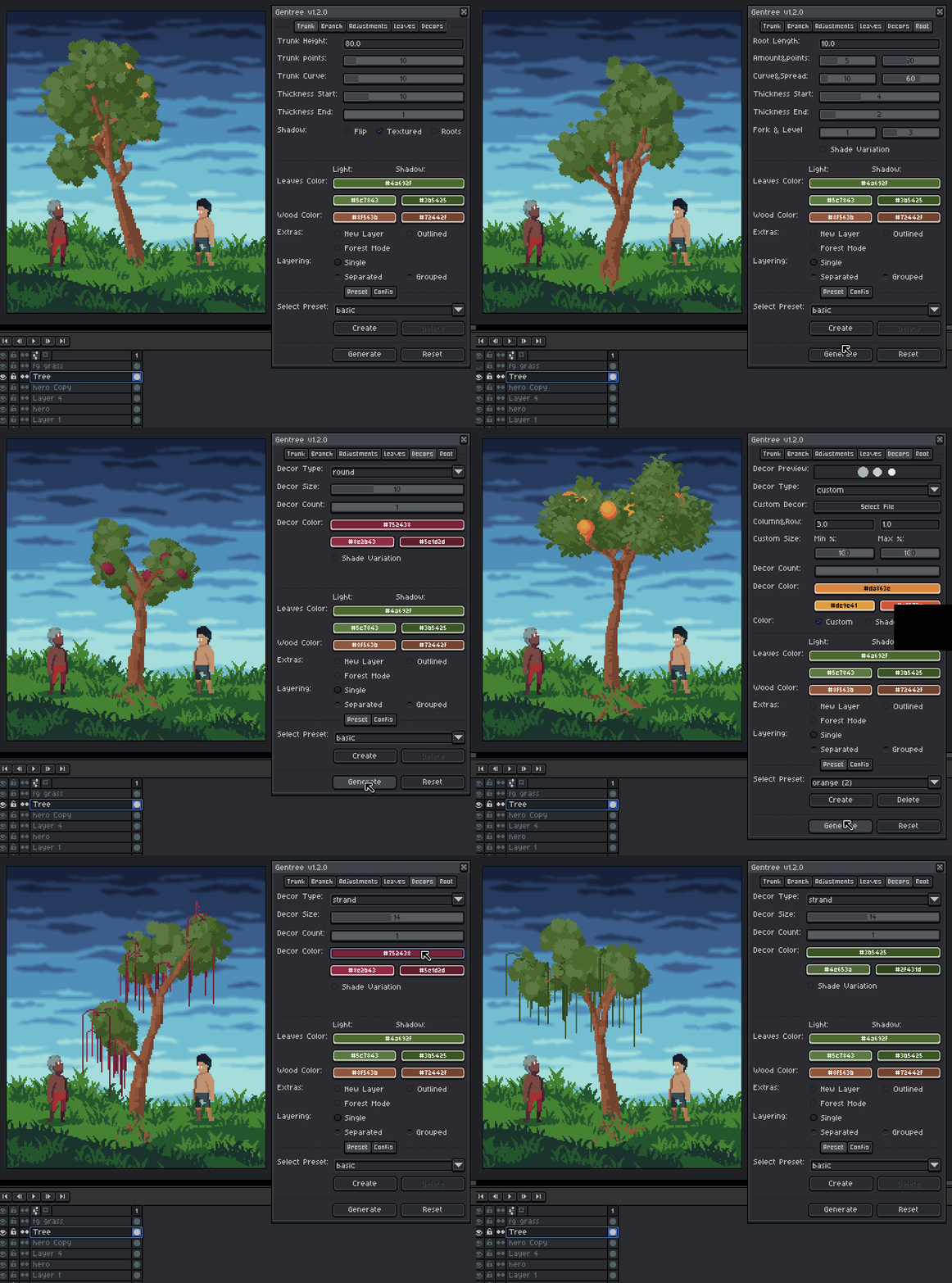
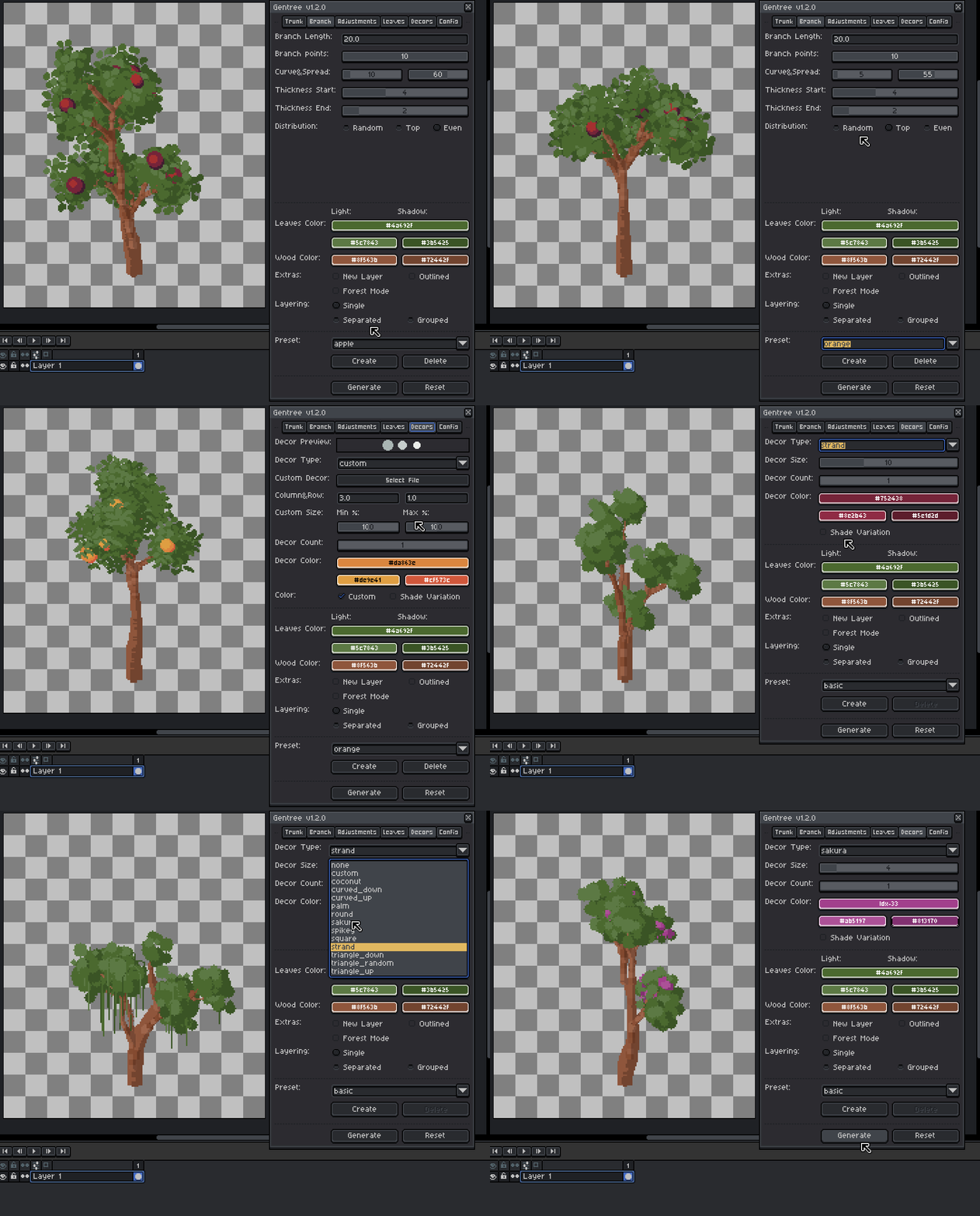
- Add decorative elements like fruits, flower, and ornaments to place on your trees.
- Added a dedicated Root option for generating trunk roots.
Colors & Extras
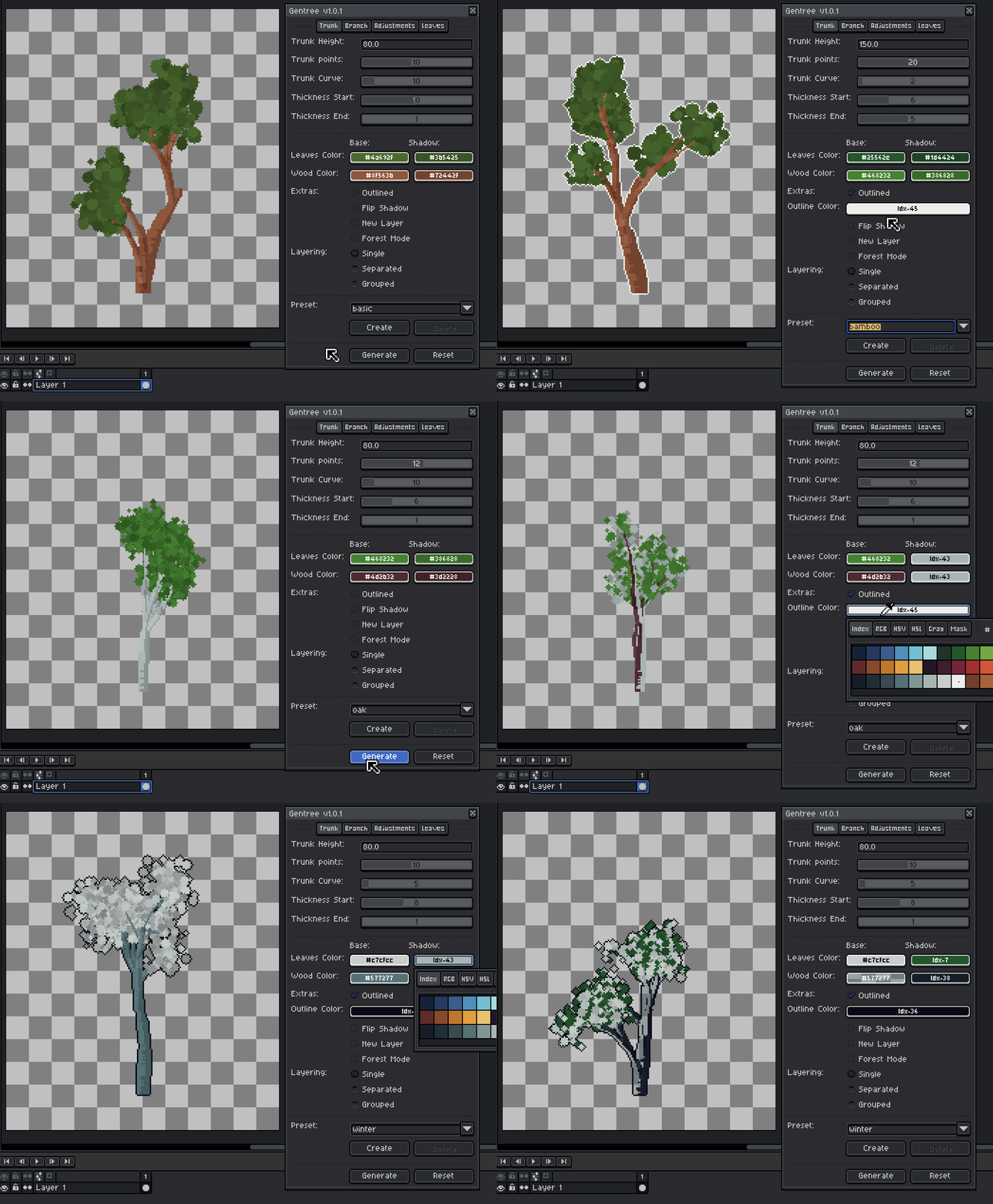
- Leaves Color - Base leaf color.
- Wood Color - Trunk and branch color.
- Outlined - Adds pixel outlines.
- New Layer - Forces generation onto a new layer.
Forest Mode
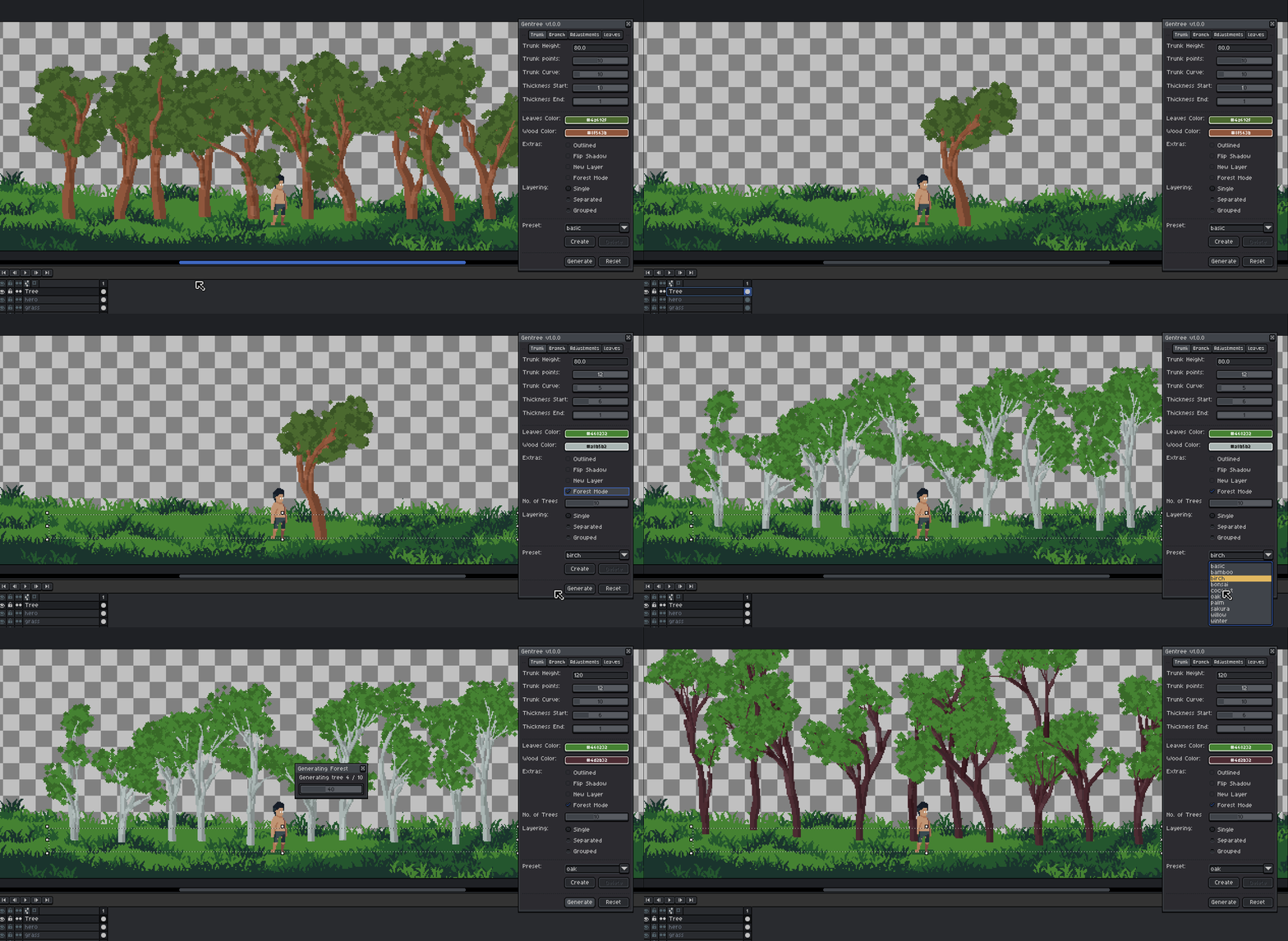
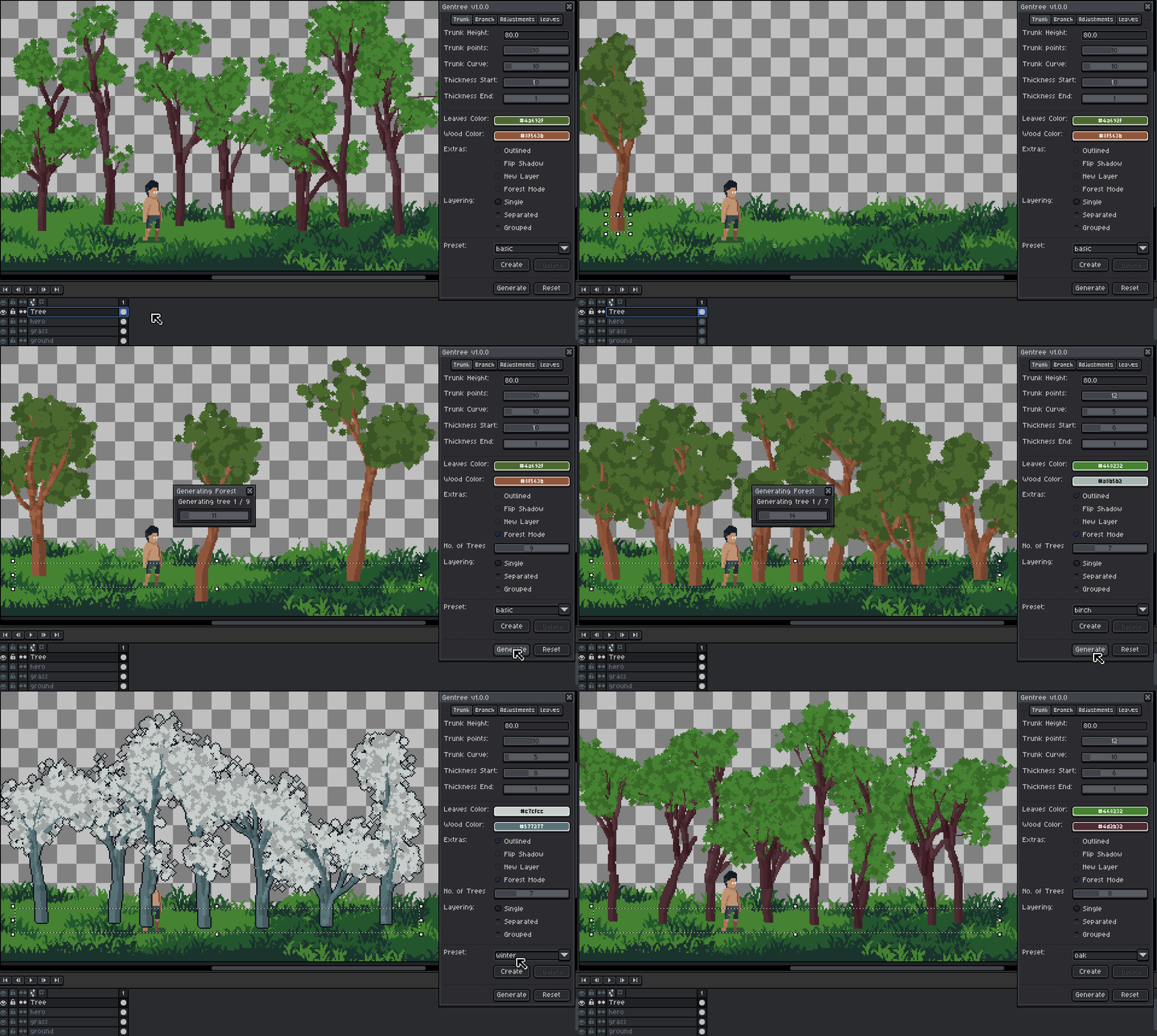
Generates multiple trees inside a selection.
- How it works:
- Make a horizontal rectangular selection
- Enable Forest Mode
- Set number of trees
- Click Generate
Trees are spaced with controlled randomness for a natural look.
Grass Mode
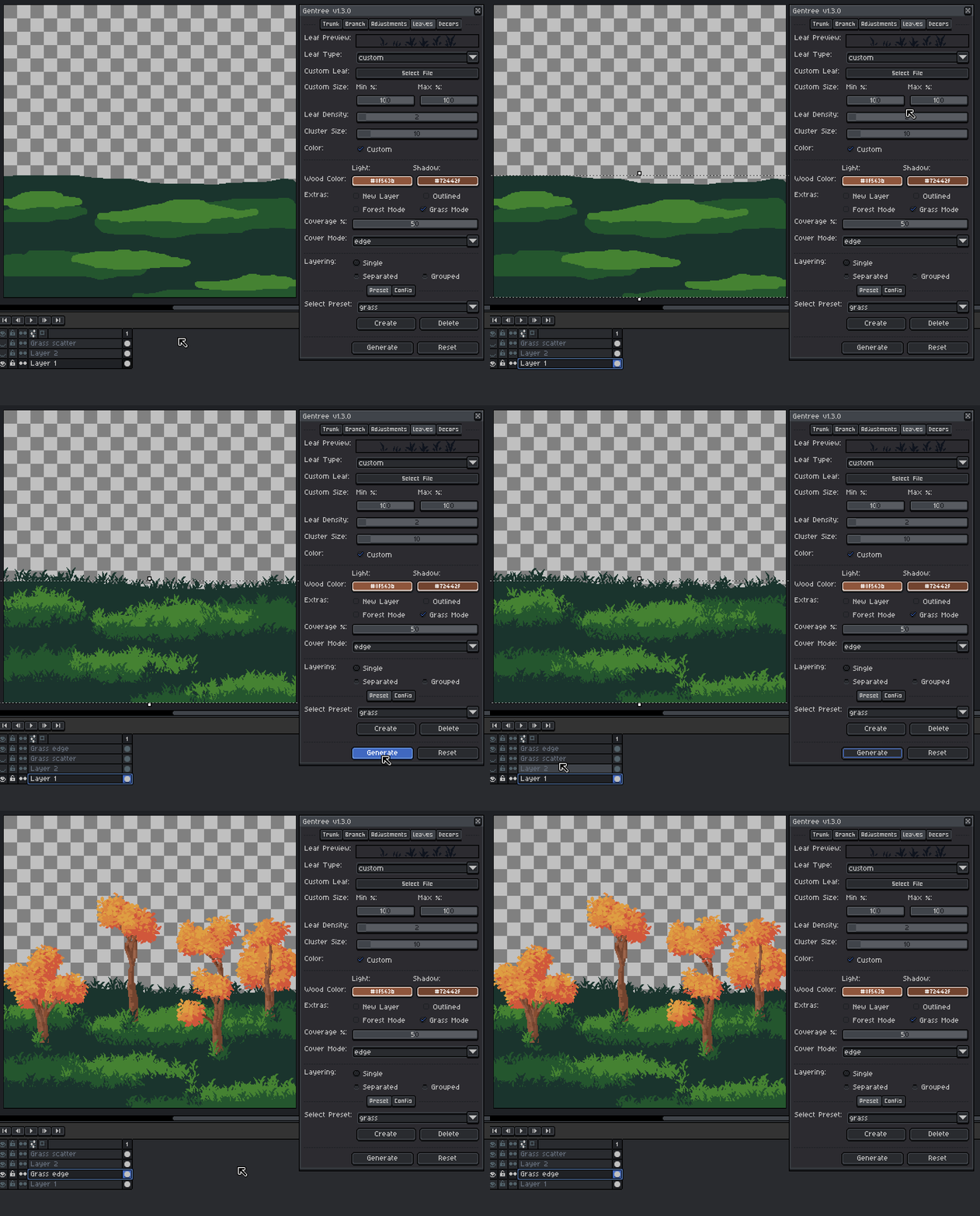
Generates grass within the selection area.
- How it works:
- Make a selection
- Enable Grass Mode
- Set coverage percentage
- Choose cover mode:
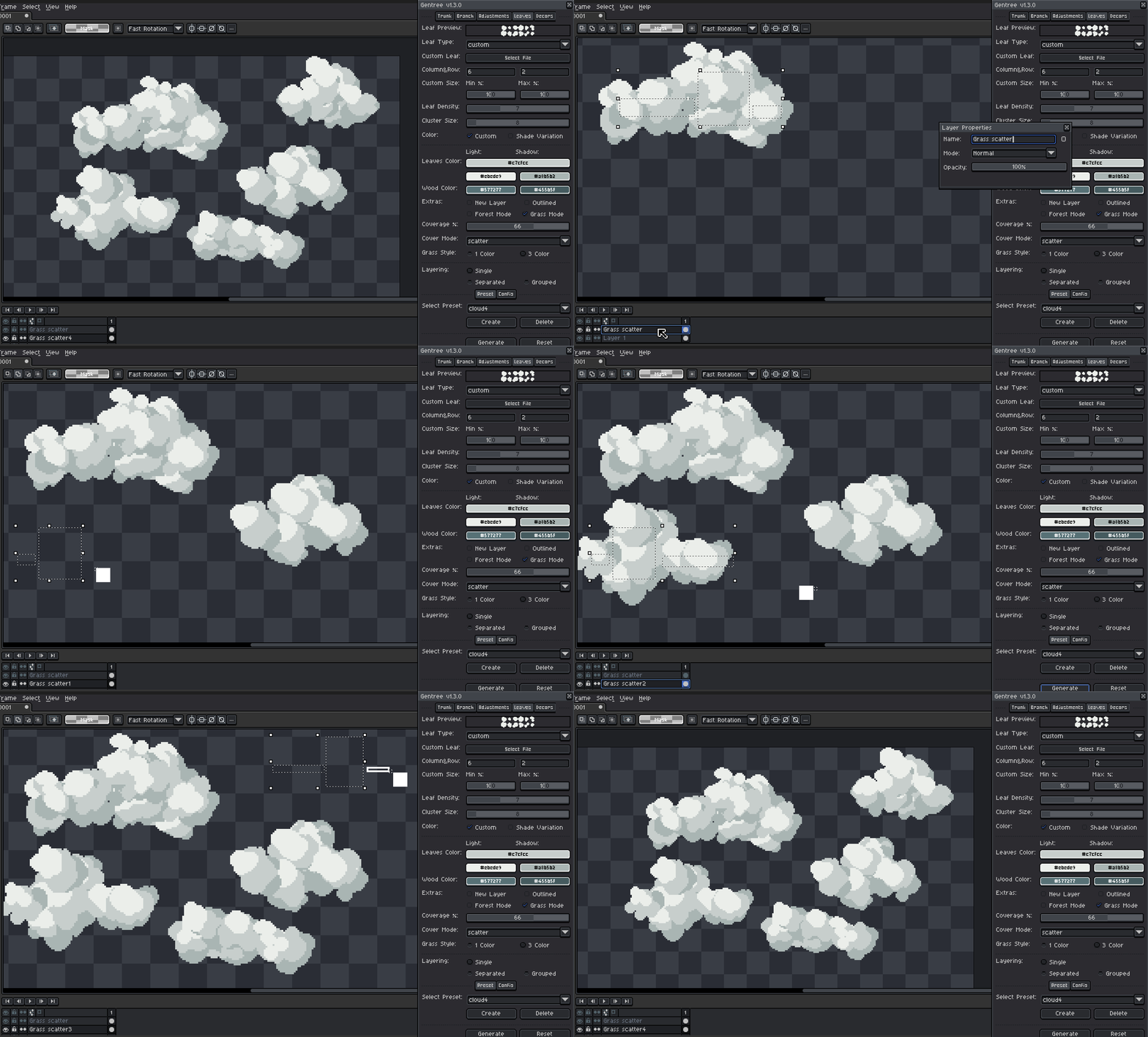
- Scatter - randomly distributes grass inside the selection for natural ground coverage
- Edge - detects terrain edges and places grass along boundaries for more controlled foliage placement
- For scatter, select 1 color or 3 color style
- Click Generate
Layering Modes
Choose how generated elements are organized.
-
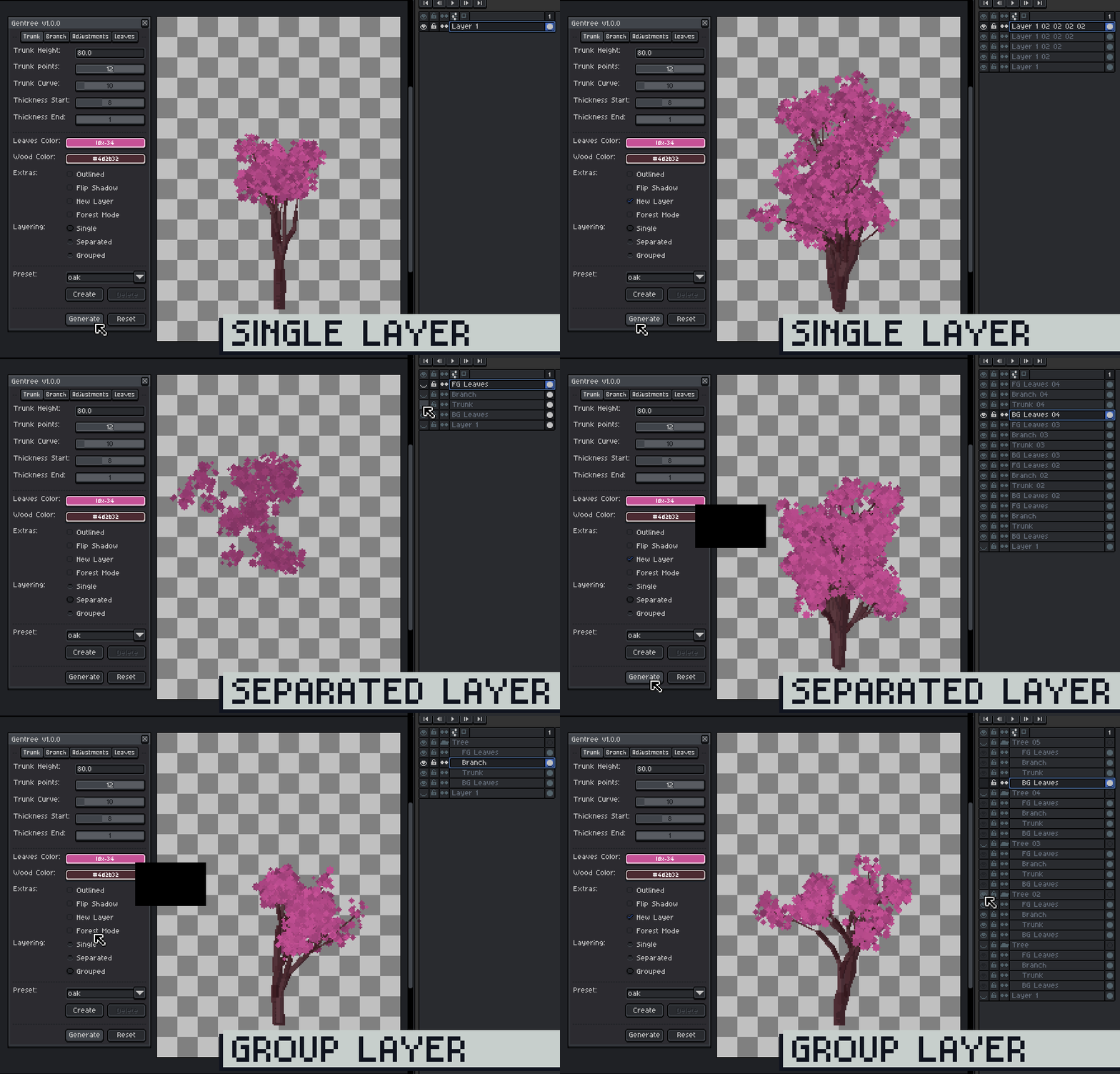
Single Layer (Default)
- Draws on the currently selected layer
- Regeneration overwrite the same layer
Select a new layer if you want to keep the current tree.
-
Separated
- Creates individual layers
- Trunk, Branch, Foreground Leaves, Background Leaves
Group the four layers to keep the tree intact.
- Creates individual layers
- Grouped
- Same as Separated, but inside a group
- Cleaner organization for complex scenes
Rename the group if you want to keep multiple trees.
Presets
Presets let you instantly switch between different tree styles.
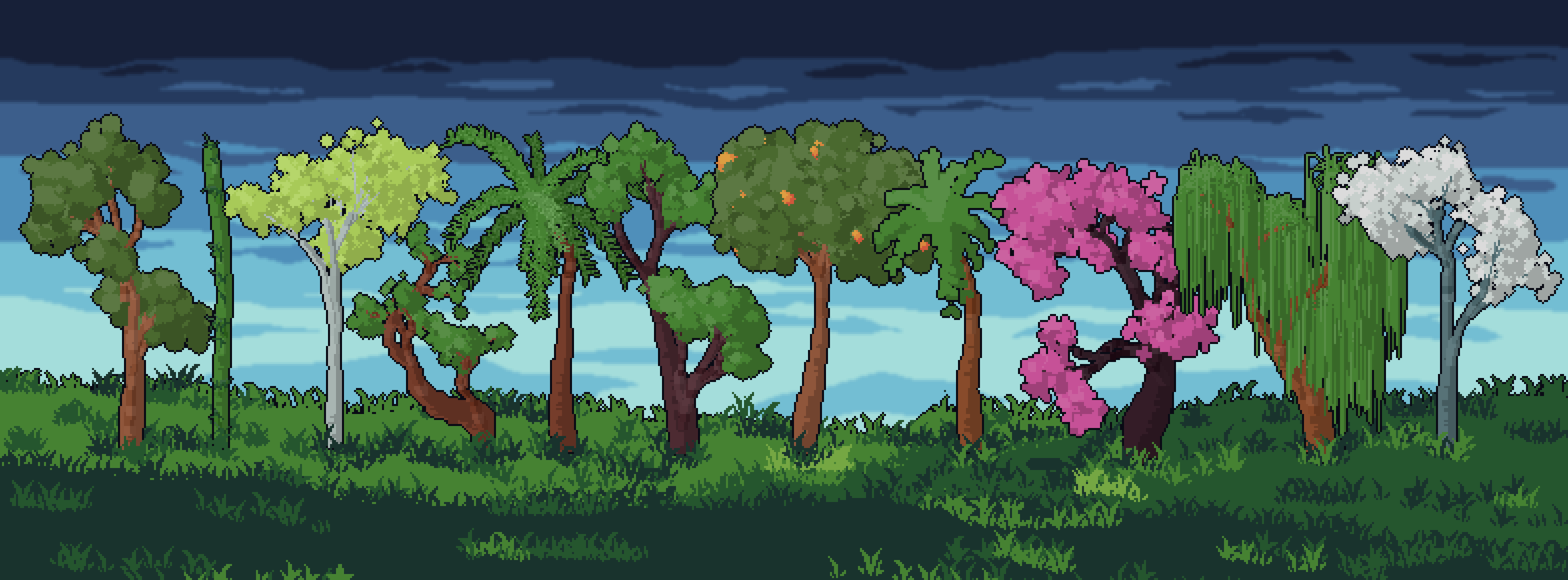
- Built-in presets for quick results
- Select a preset to instantly apply settings
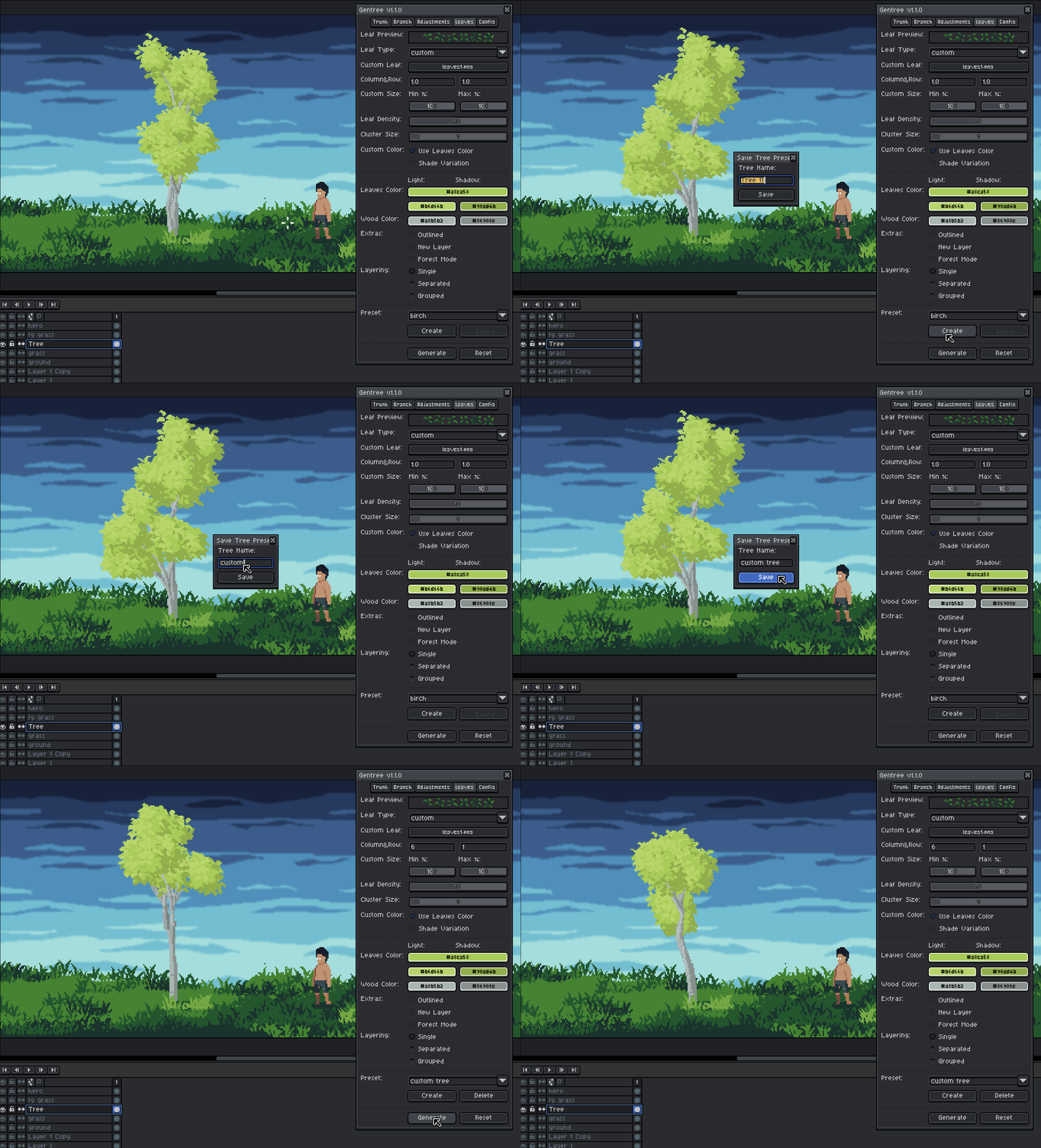
- Create your own presets
- Default presets cannot be deleted or overwrite
Presets are great for exploring variations or getting a solid base before polishing by hand.
Create Preset:
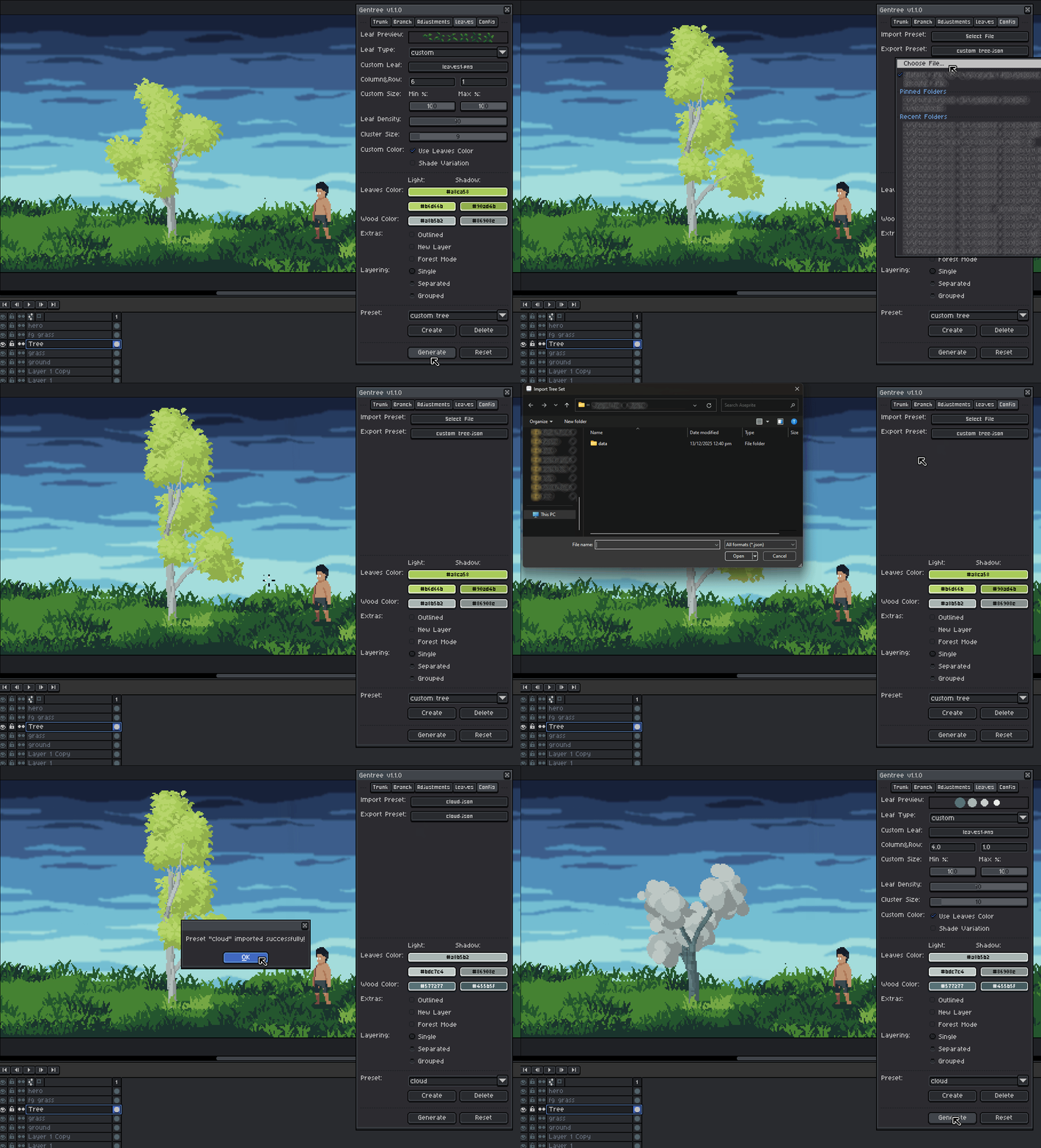
Import/Export Preset:
Tips & Best Practices
- Start with a preset, then tweak values to taste
- Begin simple: low depth, fewer branches
- Increase complexity gradually
- Use Single Layer mode while experimenting
- Flip Shadow to match scene lighting
Gentree is designed to feel procedural, but artist-driven.
It doesn’t replace hand-drawn trees, it gives you a strong, editable starting point that you can tweak, polish, and make your own..
Feedback & Support:
Please do me a favor and leave a rating/follow if you find my projects interesting and want to see more content like this. Thanks a lot!

See Also
Art Assets
Gentree License Agreement
By downloading, installing, or using the Gentree extension, you agree to the following terms:
- Grant of Use
- You are granted a non-exclusive, non-transferable license to use Gentree for personal, professional, and commercial projects.
- Restrictions
- You may NOT:
- Resell, sublicense, redistribute, share, or transfer the extension, in whole or in part, to any third party.
- Repackage or include the extension as part of another asset, script, or product.
- Modify and distribute modified versions of the extension.
- Claim ownership of the extension or any portion of its source code.
- You may NOT:
- Ownership
- All intellectual property rights in Gentree, including source code, design, structure, and functionality, remain the exclusive property of Devkidd.
- Personal Modifications
- You may modify the extension for personal use only.
- Modified versions may not be shared, distributed, or sold.
- No Warranty
- This extension is provided "AS IS", without warranty of any kind.
- The creator shall not be liable for any damages, data loss, or issues resulting from its use.
- Attribution
- Attribution is appreciated but not required when sharing content created using Gentree.
- License Updates
- Devkidd reserves the right to revise this license for future versions.
- Updated terms apply only to new downloads or updates.
Copyright © Devkidd 2024–2026. All Rights Reserved.
Purchase
In order to download this tool you must purchase it at or above the minimum price of $3.75 USD. You will get access to the following files:
Development log
- Gentree v1.3.0 - Grass ModeMar 10, 2026
- Gentree v1.2.0 - Decors and RootsFeb 28, 2026
- Gentree v1.1.0 - Custom Leaf Image SupportFeb 21, 2026
- Gentree v1.0.1 - More Color OptionFeb 07, 2026
- Gentree v1.0.0Feb 04, 2026
Comments
Log in with itch.io to leave a comment.
Interesting question, could the grass mode be tooled a bit to function like moss?
I'm not really sure what you mean by that, but I'm assuming you mean something like this:
https://x.com/devkidd_/status/2060352173163356203?s=20
You can actually use Grass Mode for this and set the Cover Mode to "Edge." 😊
Any chance you can update this tool to be able to do conifers like Pine trees, and maybe large stuff like variations of redwoods? Need more classic forest style stuff to be as useful as possible.
Indeed, oaks and birches tend to be this tool's strong suit, but it would be nice to use it for other tree types. Definitely want Firs, Spruces, and cypresses on the list too.
(Also the strand leaf type leaves a bit to desire in terms of design, they don't quite capture the silhouette of weeping willows, perhaps try having it render wide round bits, then have the strand leaf type protrude from those points?)
Thanks for all the suggestions! I’ll definitely keep these in mind for future updates. 🙏 I’ll have to experiment with that.
this is such a great tool, thank you for the work!
i also own your live brush extension (love it too!) and was wondering if there are plans to "combine" those too (or if that's even possible)?
Like, i'd love to be able to load a brush set as custom decor or leaves.
It's no big deal to load an image file instead, but it would be a great QoL feature (at least for me, haha) and since you wrote both i thought it doesn't hurt to ask :)
Thank you so much, BeckX! I really appreciate the support. I’m really glad you’re enjoying both tools.
That’s actually a really interesting idea, and I think it’s definitely possible.
I’ll explore ways to make something like that work. Thanks for suggesting it!
This is a pretty good tool. Would be nice if the user could change the outline color or even better could be a feature where the user draws the leaves (Like a set from 4 to 8 idk). It looks like the ones now are generated and sometimes the more articulated are wonky here and there.
Also the 0 alpha "Leaves color" doesn't result in transparent leaves even if the Shade Variations is turned off. (I know I can turn it off if I generate in a group, just wanted to say something I feel strange)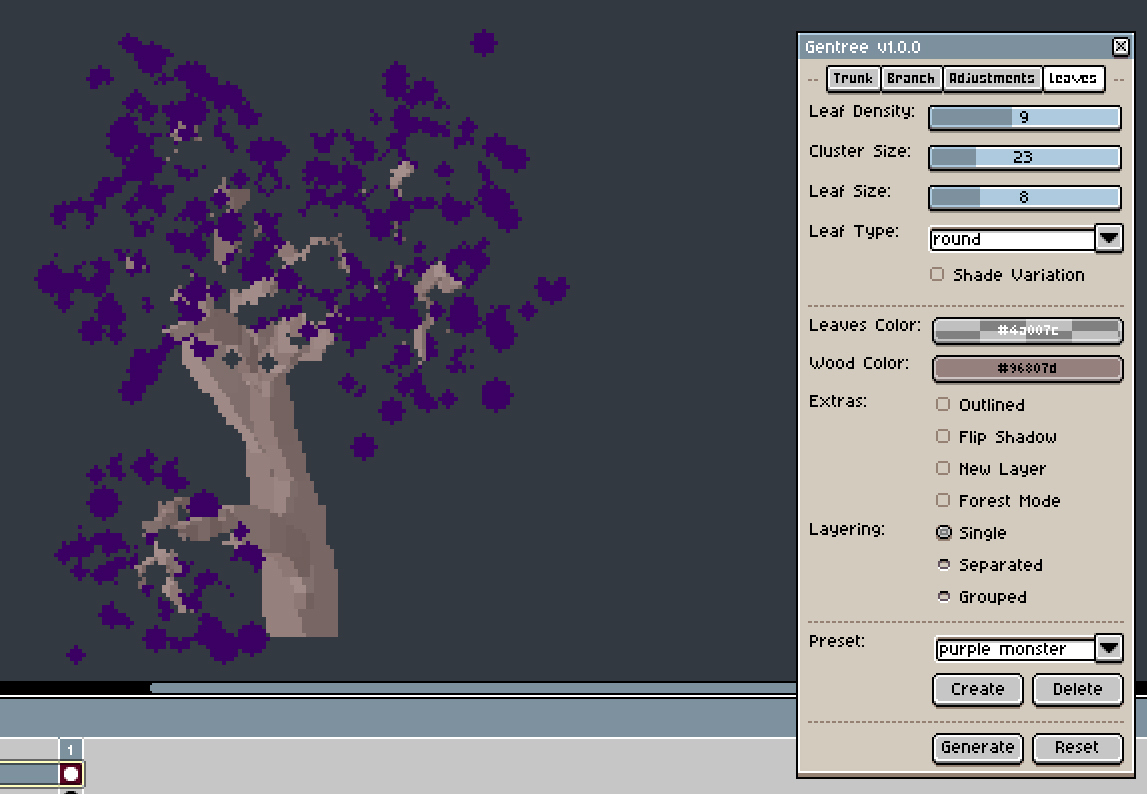
Hi Teebor9, thanks a lot for the detailed feedback!
Regarding colored outlines and support for transparent leaf colors, I’ll be pushing an update right away.
For the “drawing the leaves” part, do you mean allowing the user to provide a small set of hand-drawn leaf shapes that the generator can reuse? I already have this planned for an upcoming update (custom leaves), and I’m currently experimenting with better ways to implement it, as well as improving leaf shading and styles.
You rule!
Hi Teebor9, just a quick update, I’ve already pushed a patch with outline color support, a fix for color transparency, and a new option to change the shadow color.
Thanks again for the feedback, it helped a lot!